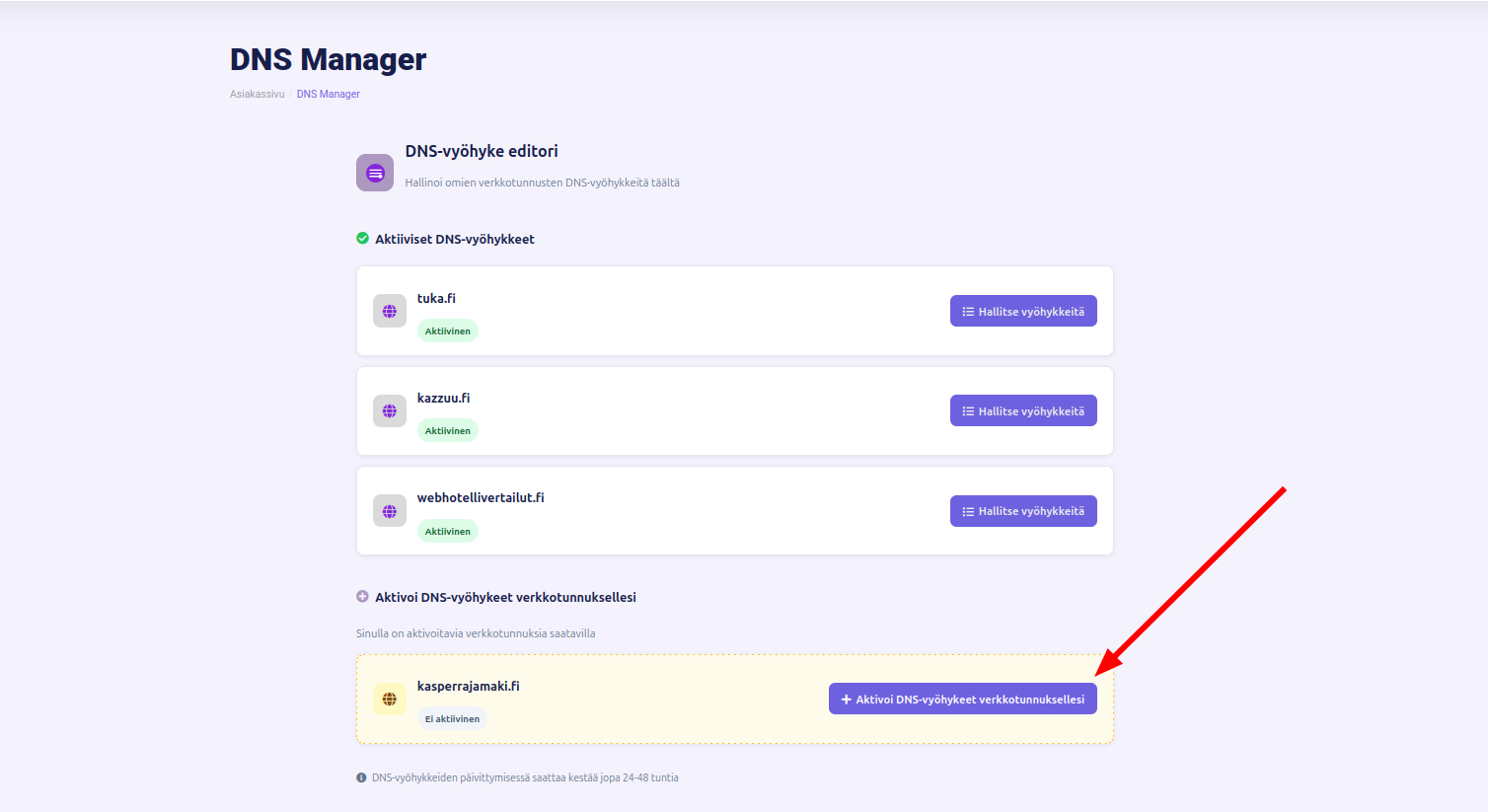



Tässä ohjeessa kerron kuinka saat itsellesi DNS-hallinan.
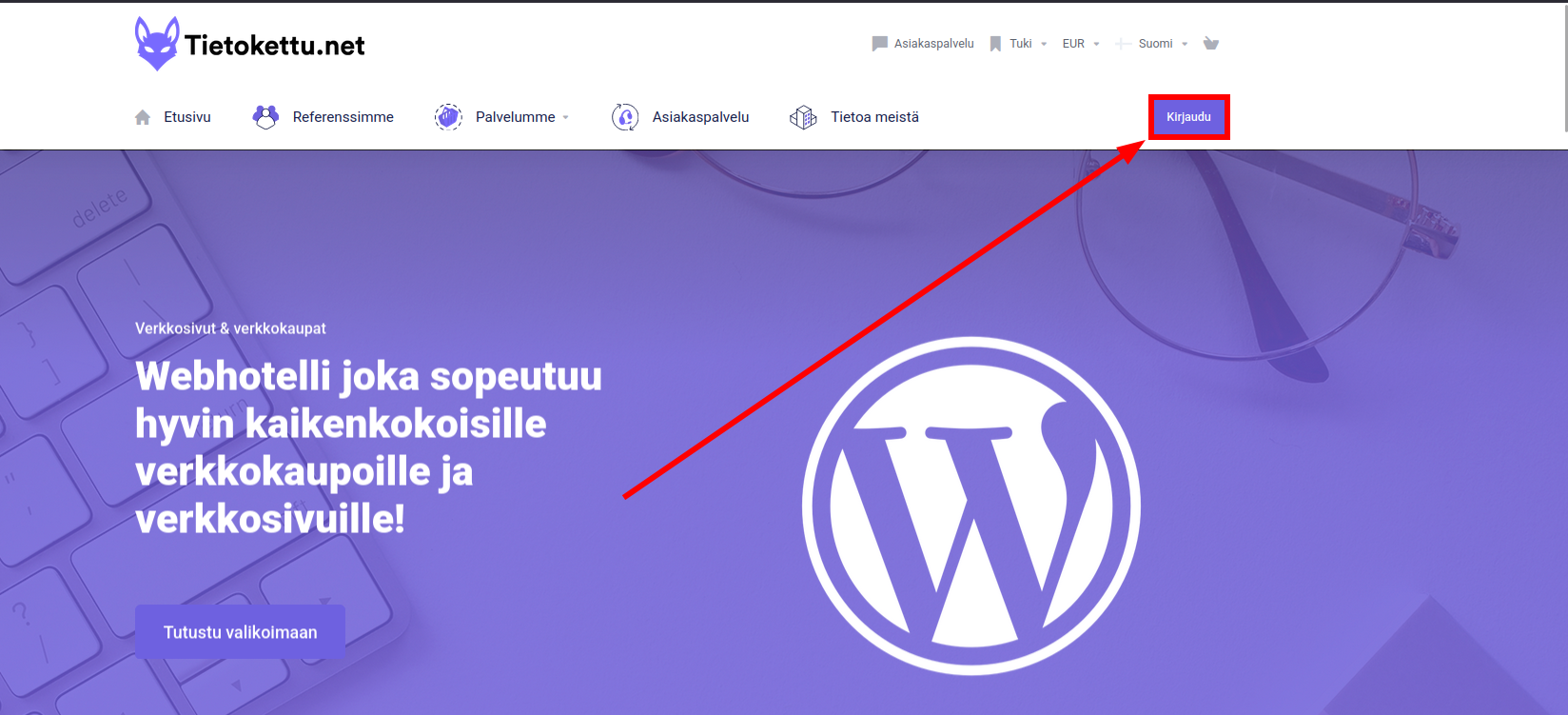
- Aloitetaan, että kirjaudutaan sisään Tietoketun asiakasalueelle:
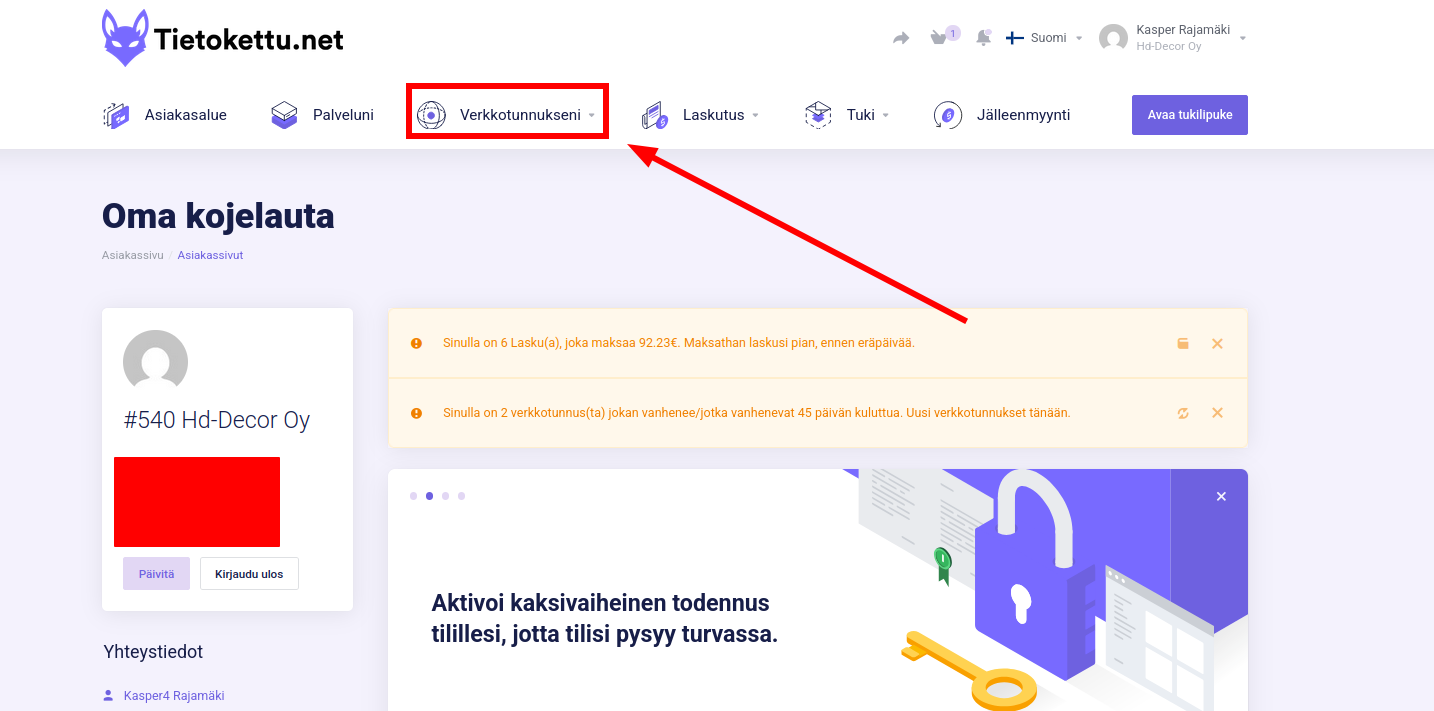
- Seuraavaksi kun olemme päässet asiakasalueelle, klikataan pientänuolta "verkkotunnukseni" kohdasta:
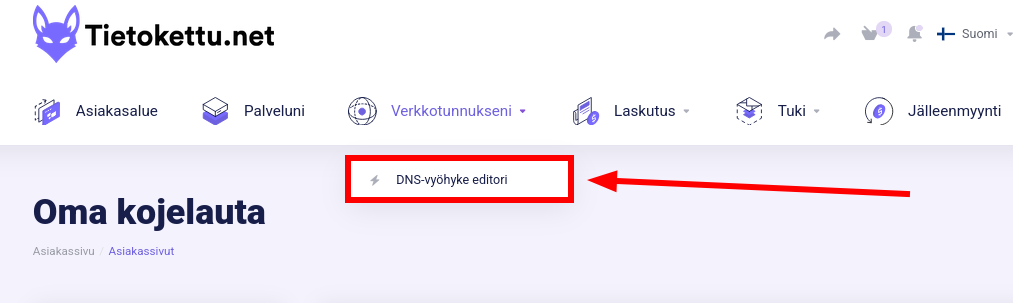
- Seuraavaksi klikataan "DNS-vyöhyke editori" -tekstiä:
- Seuraavaksi pääsemme näkymään, jossa sinulla pitäisi olla näkyvissä kaikki verkkotunnukset, jotka on Tietoketun tililläsi. Voimme seuraavaksi lisätä DNS-hallinnan, klikkaamalla "Aktivoi DNS-vyöhykkeeet verkkotunnuksellesi". Jatkossa jos sinulla on cPanel, voit hallita myös Tietoketun sivujen kautta DNS-vyöhykkeitä.